Label printer
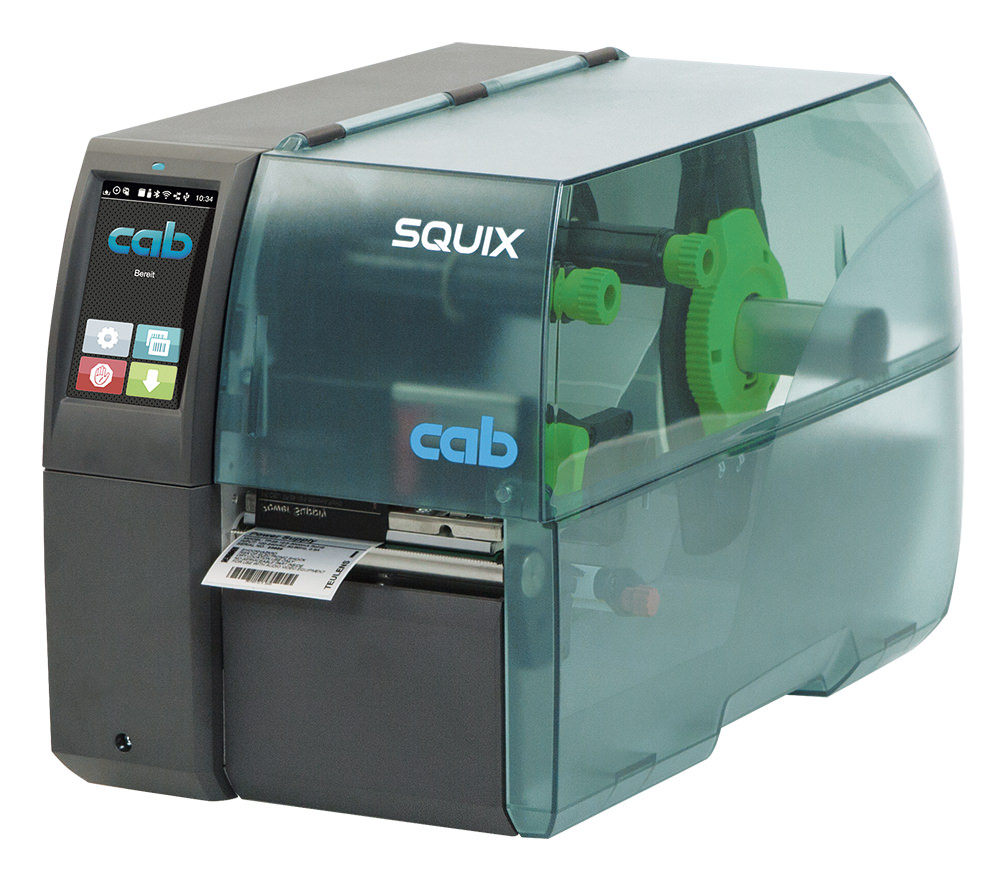
A label printer is a device for printing labels. These devices are in daily use, particularly in retail or industry. However, there are numerous different label printers that are suitable for different requirements and needs. These features result in three types of label printers, which are usually differentiated between: Desktop printers, mobile printers and industrial printers. You will also find mid-range printers, colour label printers and print modules in our range.
We offer a large selection of label printers from Zebra and Epson to Brother and other well-known brands.
If you have any questions or need help, we are always at your disposal.
Filter products
- Barcode scanner
- MDE devices
-
Label printer
- Printer types
- Manufacturer
- After application
- By printing process
- Colour label printer
- Winding and unwinding stations
- Consumables
- Accessories
- Software
- Repair
- Thermal transfer ribbon
- Labels
- Accessory finder
- About us
- 30 years of experience
- In-house label production
- ISO 9001:2015 certified
- Fast delivery
- Extensive product portfolio
Support and counselling via: +49 7152 / 331260-0 Mon-Fri, 8 am - 5 pm
Or via our contact form.
label printer, mobile printer, direct thermal, 8 dots/mm (203 dpi), media width (max.): 80 mm, print width (max.): 72 mm, roll diameter (max.): 50mm, speed (max.): 60 mm/s, USB, Bluetooth, NFC, ESC/POS, CPCL, RAM: 16 MB, Flash: 16 MB, incl.: cable (USB), belt clip, battery, colour: black
Kostengünstig und Effektiv Entdecken Sie, wie leistungsfähig ein einfacher und kompakter Barcodedrucker sein kannDie DT41 Drucker sind ultraleicht und kompakt für beste Platznutzung, sie sind effektiv und vielseitig einsetzbar für den Druck von Etiketten und Anhängern im Einzelhandel, in Lagerhäusern, in der Logistik und im Transportwesen sowie im Gesundheitswesen.3 Jahre GarantieVerbesserter Etiketteneinzugsmechanismus und sofortige Etikettenerkennung16MB SDRAM und4 MB Flash-Speicher - benutzerverfügbarer Speicher für herunterladbare ObjekteDruckgeschwindigkeit: bis zu 5 IPS (127mm/s) pro Sekunde Schnittstelle: USB-Anschluss
Der Honeywell PC42E-T ist ein kompakter, hochauflösender Hochgeschwindigkeits-Desktopdrucker für mittlere Druckvolumen, die schnelles und zuverlässiges Drucken erfordern.Vergleichbar mit Zebra ZD230
Zebra Designer 3 Pro Software, funktioniert mit allen Zebra Druckern, mit Datenbank-Zugriff, unterstützt viele Grafikformate, weitere Informationen und Demo-Download unter www.zebra.com
Godex Externer Aufwickler GP-T10Der Godex Externer Aufwickler GP-T10 ist die ideale Lösung für alle Godex Drucker. Er ist geeignet für Innen- und Außenwicklungen und überzeugt durch sein modernes, funktionelles Design. Die robuste Ausführung gewährleistet eine lange Lebensdauer und zuverlässige Leistung, selbst unter anspruchsvollen Bedingungen. Ein besonderes Highlight des GP-T10 sind die farbigen LEDs, die zur Statusanzeige des Aufwicklers dienen. So haben Sie jederzeit einen klaren Überblick über den Betriebszustand. Der integrierte Core Adaptor 40.6 ermöglicht eine direkte Aufwicklung, was die Handhabung noch einfacher und effizienter macht. Setzen Sie auf Qualität und Funktionalität mit dem Godex Externen Aufwickler GP-T10 – die perfekte Ergänzung für Ihre Drucklösungen!
Die mobilen Drucker der neuen Zebra ZQ200-Serie, die zum Value-Segment zählt, wurden für eine Vielzahl von Beleg- und Etikettendruckanwendungen in Innen- und Außenbereichen konzipiert. Angesichts der perfekten Balance zwischen Preis, Qualität, Vielseitigkeit, Robustheit und Benutzerfreundlichkeit schont die ZQ200-Serie das Budget der Kunden, ohne Kompromisse bei der Funktionalität einzugehen. Die bewährte Qualität und Zuverlässigkeit von Zebra-Geräten basieren auf 50 Jahren Erfahrung. Ihre Kunden können sich daher bei allen Etikettierungs- und Belegdruckanforderungen jederzeit auf die kostengünstige ZQ200-Serie verlassen.
Rot-Schwarz-Druck mit DK-22251USB-SchnittstelleBis zu 93 Etiketten/Minute druckenKeine Installation von Software/Treiber erforderlichAutomatische SchneideeinheitInklusive 2 Starter-Etikettenrollen
Etikettendrucker, Thermodirekt, Etiketten, Bonrollen, Auflösung: 12 Punkte/mm (300 dpi), Medienbreite (max): 58 mm, Druckbreite (max.): 56 mm, Rollendurchmesser (max.): 102mm, Geschwindigkeit (max.): 180 mm/Sek, Anschluß: USB-C, Ethernet, inkl.: Netzteil, Netzkabel (EU, UK), Schutzart: IP22, Farbe: schwarz
Das Einsteigermodell mit attraktivem Preis-Leistungsverhältnis USB/ Ethernet / Serielle Schnittstelle-Unterstützung Easy-load für Etiketten und Farbband Attraktives Preis-Leistungsverhältnis für große Druckmengen Externer Rollenhalter für großes Druckvolumen 3 Jahre Garantie
Label printer
Label printer types: Which printer is right for you?
Label printers are indispensable in the modern business world - especially in retail, industry and logistics. Here you will find a selection of devices from renowned brands such as Zebra label printers and Brother label printerswhich are all customised to your requirements.
Desktop printers
Desktop printers - also known as label printers - impress with their compact design and favourable purchase price. They are ideal for small print volumes (up to approx. 1,000 labels per day) and are particularly suitable for offices and small businesses.
Application examples:
Address, shipping and product labels
Labelling of small goods
Event ID and name badges
A popular example is the Zebra ZD421which is ideal for the fast and flexible printing of price tags and address labels. You can find more information on our page about desktop printers.
Industrial printers
Industrial printers are robust and powerful devices that are designed for high print volumes from approx. 1,000 labels per day. Thanks to their robust housing, they are ideal for use in production environments, warehouses and logistics - even under demanding conditions.
Application examples:
Component labelling in production
Barcodes and pallet labels
Type plates for machines
One example from the industrial segment is the Zebra ZT411, which impresses with its high resolution and throughput efficiency. Visit our page on industrial printers industrial printers for more details.
Mobile label printers
Mobile label printers are designed for users who value flexibility and mobility. These handy devices have integrated rechargeable batteries and often wireless connectivity (WLAN and Bluetooth) so that you can also print directly on site outside the office or warehouse.
Application examples:
Printing shipping labels in the field
Labelling in warehouses where mobility is required
Printing address labels in retail
A proven model in this segment is the Zebra ZQ630. With its robust design and long battery life, it offers reliable mobile printing solutions. You can find more information on our page about mobile printers.
Printing methods: Direct thermal printing vs. thermal transfer printing
There are two basic methods for printing labels:
Direct thermal printing
With direct thermal printing, the image to be printed is printed directly onto specially coated, heat-sensitive labels. labels. The print head heats specific areas of the label, resulting in a permanent colour change.
Advantages | Disadvantages |
- Cost-effective, as no colour ribbon is required | - Limited service life of the labels (approx. 6-12 months) |
- Fast printing process | - Sensitive to heat and UV light |
Thermal transfer printing
In thermal transfer printing, a colour ribbon is used in addition to the labels. Here, the wax or resin contained in the colour ribbon melts onto the label at specific points to create a permanent print image. This method delivers high-quality and long-lasting results.
Advantages | Disadvantages |
- High-quality, long-lasting print | - Higher costs due to ribbon consumption |
- Resistant to environmental influences such as heat, cold and moisture | - Slower printing process compared to direct thermal printing |
Interfaces: How to connect your label printer
Modern label printers offer a variety of connection options. Whether via USB, WLAN, Bluetooth, Ethernet or RS232 - depending on the application, you will find the right model for your requirements.
USB
The USB connection is the standard connection for many label printers. Models with USB 2.0 or 3.0 provide a stable and simple connection that is often used in the office or at home.
WLAN
Wireless connections such as WLAN label printers offer maximum flexibility as they do not require physical cables. This is particularly advantageous if the printer is to be integrated into larger premises or a network.
Bluetooth
Bluetooth is particularly suitable for mobile label printers, as this technology enables a wireless and fast connection between the printer and mobile devices.
Ethernet
Those who require a stable network connection often choose a printer with an Ethernet connection - ideal for professional use in companies.
RS232
The RS232 interface is a classic that can still be found in many older systems. This serial connection solution is still valued in special areas of application.
Label types: The right label for your application
Label printers usually print adhesive labels that are supplied on rolls. However, there are different variants that fulfil different requirements. When choosing the right adhesive labels, there are two main types to consider
Paper labels
The primary advantage of paper labels is their price. They are cheap to buy, sustainable, versatile and virtually every label printer knows how to use them. The selection of common formats and adhesives is very extensive and the smooth surface makes information easy to read. However, bear in mind that paper labels reach their limits when they are used in damp environments. Paper labels are also unsuitable for locations that require a high level of durability.
Paper labels are therefore a reliable all-rounder, but they do have their limits.
Plastic labels
Plastic labels, on the other hand, are generally more robust, water-repellent and can withstand extreme temperatures. This makes them ideal for outdoor applications, in production facilities or in sectors where hygiene regulations make special demands - for example in the food industry. Although plastic labels tend to be more expensive to purchase than their paper counterparts, they can save costs in the long term if fewer labels need to be replaced. In addition, plastic labels retain legible labelling even under heavy use, which is essential for a seamless process chain.
Plastic labels are the right choice for you if you need robust, hygienic labels.
Software: create and print labels easily
The right software rounds off the label printing solution. With high-quality label printer software you can create customised label designs and print them easily. The software is often already included in the scope of delivery - otherwise we offer a large selection of modern programmes that simplify your printing process considerably.
Label printers by application
Label printers are used in various production processes on a daily basis, where they fulfil important tasks to optimise operational processes:
- Label printers in logistics
- Label printers in the warehouse
- Label printers in the pharmaceutical sector
Buying a label printer: What you should look out for
Investing in a new label printer should be carefully considered. The following factors are decisive:
| Criterion | Question |
| Print volume | How many labels are printed daily? |
| Printing method | Do you need long-lasting results (thermal transfer) or sufficiently fast results (direct thermal)? |
| Interfaces | Which connection options (USB, WLAN, Bluetooth) are required for your setup? |
| Label types | What type of labels (adhesive, removable, security labels) are required? |
| Software | What functions does the labelling software need to offer? |
With the right label printer, you can optimise your work processes and achieve professional printing results. Choose from a wide range - from compact desktop models and robust industrial printers to flexible mobile solutions - and benefit from the latest labelling technology and suitable software. Our online shop and consulting service are always available to recommend the ideal printer for your requirements.
Buy the label printer for your company now.
Further information
Visit our other pages to find out even more about label printing:
Our aim is to provide you with the best possible support in your search for the ideal device - be it through detailed product recommendations, comparison tables or personalised advice. Please do not hesitate to contact us for a personal consultation using our contact form for a personal consultation.
With over 30 years of experience in the business and an extensive portfolio of label printers, MDE devices and barcode scanners from well-known manufacturers, we set standards in quality and service.
Frequently asked questions
1. are Dymo label printers good?
Dymo label printers are mainly designed for private use. For professional applications, however, we recommend devices from Brother, Zebra or Honeywell, as they fulfil higher performance requirements.
2. are thermal label printers good?
Yes, thermal label printers are very reliable. They are ideal for fast printing of barcodes, labels and price tags, as they do not require a colour ribbon and therefore often work faster and more efficiently.
3. how does a thermal label printer work?
Thermal label printers work by heating special, heat-sensitive labels. These labels change colour on contact with the heated print head, creating the printed image - without any ribbon.
4 What is a barcode label printer?
Barcode label printers are devices that are specially designed to print labels with barcodes. These barcodes often contain product information and are used to identify and track goods.
5 How long does a label printer last?
The lifespan of a label printer depends on a number of factors, including build quality, frequency of use and regular maintenance. Proper care can significantly extend the operating time.
5. can a label printer print in colour?
Yes, this is possible. Our colour label printers deliver a reliable result.